
MonoBoost Cancel Subscriptions
Mnboost CorpTools
3.7175.00 Reviews
- Version
- 1.0.24
- Installs
- 10.00K
- Age Rating
- Everyone
Screenshots
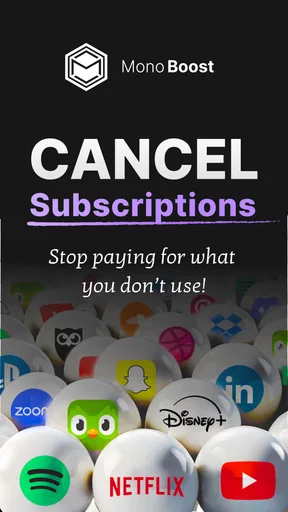
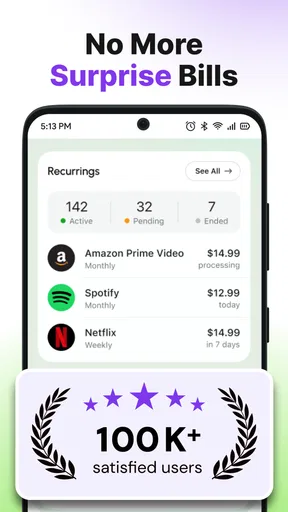
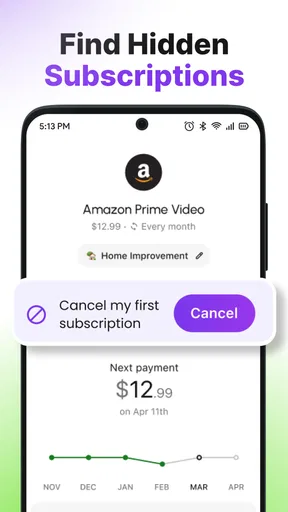
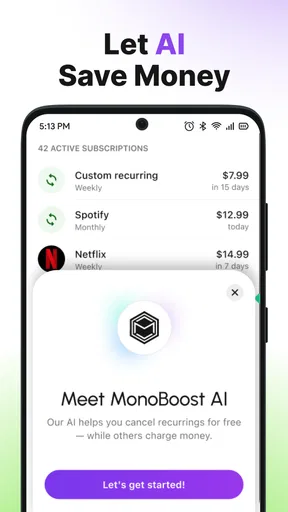
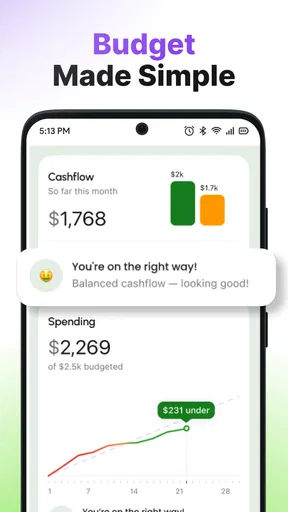
Our Review of MonoBoost Cancel Subscriptions
 Analysis by Appyee
I approached MonoBoost Cancel Subscriptions as a practical tool rather than something I would open for entertainment. Its purpose is simple: help me keep track of recurring services and make it easier to stop subscriptions I no longer want. That sounds modest, but it addresses a very common problem. A forgotten trial, an old streaming plan, or a rarely used productivity service can quietly remain active when there is no convenient place to review everything.
My overall impression is that MonoBoost is most useful as a visibility and decision-making aid. It does not replace careful checking of the original service, but it can give subscription management a clearer shape than searching through email receipts or browsing several account pages. The experience is not completely frictionless, and I would not recommend treating it as an automatic solution for every billing problem. Still, for someone who wants a dedicated tool for organizing recurring commitments, it has a sensible role.
What MonoBoost does well in everyday subscription management
MonoBoost is a free Tools app from Mnboost Corp, with a store summary focused on managing and stopping subscriptions. I found that positioning more useful than a broader personal-finance promise. The app is centered on one specific source of financial clutter rather than trying to become a complete budgeting system. That narrower focus makes it easier to understand what I should use it for: reviewing recurring services, deciding which ones still matter, and taking action before another renewal.
The first strong point is the way a dedicated subscription view changes my habits. When recurring payments are scattered across bank statements, app-store settings, email, and individual websites, I tend to inspect them only after noticing a charge. A focused manager encourages a different routine. I can use it as a monthly check-in, especially after signing up for a temporary service or starting a free trial. The value is not just seeing a list; it is creating a deliberate moment to ask whether each service still earns its place.
That distinction matters because subscription waste is often caused by inattention rather than a lack of money knowledge. I may remember the service but forget the renewal date, or I may assume cancelling a card payment will end the contract. A tool like this can prompt better questions: Do I still use it? Is the plan still suitable? Did I subscribe through a different account? Is there a cancellation step I need to complete with the provider? MonoBoost is strongest when it supports that thought process instead of encouraging blind cancellation.
In a realistic everyday situation, I could imagine using it after a busy month when several small recurring charges appear on my statement. Rather than opening each merchant’s website immediately, I would first review the subscriptions in one place and separate them into three groups: keep, investigate, and stop. The “investigate” group is important. It prevents a rushed cancellation of something connected to work, family access, cloud storage, or an annual commitment that has different conditions from a monthly plan.
Another useful workflow is to open the app whenever I start a trial. I would record or review the service while I still remember why I signed up, then revisit it before the renewal window. This is more reliable than trusting memory. Trials are easy to forget because they feel free at the beginning, while the eventual charge arrives at a completely different moment. MonoBoost is well suited to becoming part of that small habit.
The app’s audience rating is Everyone, which fits the straightforward nature of the task. It is also available at no upfront price, making it easy to test without committing immediately. That matters for a utility app because I need to judge whether its workflow fits my own subscription habits. The current version is 1.0.24, and the app supports devices running Android 9 or later, so compatibility is broad enough for many people using older phones as well as newer models.
Its public reception is mixed rather than outstanding: MonoBoost holds a 3.7 average from roughly a thousand ratings, with over a hundred written reviews and more than ten thousand installs. I read that as a reason to approach it with realistic expectations. There is enough adoption to suggest that the idea is useful to a real audience, but the rating does not support calling it flawless. For me, that matches the nature of the product: the concept is practical, while the results depend heavily on how accurately I review and act on what it shows me.
Where it is more helpful than ordinary alternatives
The usual alternative is not another subscription manager. It is a mixture of bank-app searches, inbox searches, calendar reminders, and account settings. Those methods can work, but each reveals only part of the picture. A bank statement may show the payment without explaining which plan it belongs to. An email search may find the welcome message but miss a renewal notice. A calendar reminder can warn me about a date but does not help me review the wider collection of services.
MonoBoost’s advantage is the dedicated context. Instead of treating every recurring charge as an isolated transaction, I can think of subscriptions as a group. That makes comparison easier. A service that seemed inexpensive by itself may look less worthwhile when I see it alongside several alternatives serving the same purpose. This is one of the app’s less obvious benefits: it can expose duplication, not merely forgotten renewals.
For example, I might keep one video service because I use it weekly, while another remains active only because I watched a single series months ago. I might also discover that two storage or productivity tools overlap. The app cannot make that value judgment for me, but a consolidated review makes the judgment much easier. I would not get the same clarity from opening each provider separately.
There is also a useful distinction between tracking and cancelling. A manager can help me identify what needs attention, but cancellation usually belongs to the service that created the subscription. I would therefore use MonoBoost as the starting point, then follow the provider’s own cancellation process and verify the result. After cancelling, I would check for a confirmation message or status change rather than assuming that removing an app, blocking a payment, or deleting an account has ended the billing relationship.
This is where the app is more responsible as a workflow than as a magic button. If I treat the displayed information as a checklist, I am less likely to miss an important step. If I expect one tap to resolve every subscription regardless of where it was purchased, I may be disappointed. The difference between those two expectations is central to deciding whether MonoBoost is right for me.
The friction I would want to understand before relying on it
The main weakness is that subscription cancellation is rarely uniform. Services may be purchased through an app store, a website, a family account, a mobile carrier, or a bundled plan. Even a well-designed manager cannot remove the need to identify the actual billing relationship. I would still verify the original provider, the account used, and the renewal terms. That extra step reduces the convenience, particularly for anyone hoping for a completely automatic cleanup.
There is also a risk of incomplete personal organization if I do not maintain the information carefully. A subscription manager is only as useful as the list I review. If I have multiple email addresses, several payment accounts, or subscriptions shared with other household members, I need to be methodical. I would not assume that one quick scan captures every recurring commitment. My practical advice is to compare the app’s view with recent statements during the first setup, then use the app for ongoing review.
The free entry point is attractive, but in-app purchases range from $9.99 to $99.99 per item. That makes it important to inspect the purchase screen carefully before accepting anything. I would want to understand exactly what a paid item unlocks, whether it is a one-time purchase or part of a recurring arrangement, and whether the free experience already covers my needs. The presence of paid options does not automatically make the app poor value, but it does mean that “free to install” should not be confused with “every function is free.”
For a person with only one or two subscriptions, the app may feel like more administration than it saves. I can remember a couple of services and check them directly without adding another layer. MonoBoost becomes more convincing when the number of services grows, when trials are frequent, or when several people in a household use different accounts. The benefit is proportional to the amount of subscription clutter I actually have.
I would also skip it if my main need is detailed budgeting, spending categorization, investment tracking, or debt planning. MonoBoost is a focused tool, not a replacement for a full personal-finance app. A banking app may be better for seeing actual transactions, while a spreadsheet may be better for custom notes and long-term records. A calendar may be enough for someone who only wants a reminder before one annual renewal. The right choice depends on whether I need a dedicated subscription view or a broader financial picture.
Small habits that make the app more effective
My first tip would be to review subscriptions by purpose rather than only by price. I would label them mentally as entertainment, work, storage, learning, communication, or household services. This reveals overlap more clearly than sorting by cost alone. Two inexpensive tools in the same category may be less useful together than one more capable service, while a small charge in a critical category may be worth keeping.
My second tip is to separate “cancel now” from “reconsider at renewal.” Some services are valuable during a particular season or project but unnecessary afterward. Cancelling too early can remove access I still need, while leaving the decision vague invites another forgotten renewal. I would use MonoBoost to identify the date or action that deserves attention, then make the final decision with the provider’s terms in front of me.
My third tip is to use a confirmation routine. After stopping a subscription, I would return to the app or my account records and note that the action is complete, then keep the provider’s confirmation until the expected billing period passes. This is especially sensible when the cancellation process redirects me to a website or another account. A manager helps me remember the task, but evidence from the merchant helps me know it actually happened.
A fourth, less obvious use is reviewing subscriptions before changing payment cards or phone platforms. People sometimes replace a card and assume recurring services will disappear, or they move between devices and lose track of where a subscription was purchased. MonoBoost can serve as an inventory before that transition. I would use the list to identify services that need deliberate transfer, cancellation, or account verification instead of relying on a payment change to solve the problem.
Privacy-conscious users should also make their own comfort judgment before entering personal subscription information. I would read the app’s current permission and privacy explanations in the store and inside the app before adding sensitive details. Even when a tool is convenient, I prefer to share only what is needed for the task. If I am uncomfortable centralizing information, a spreadsheet kept locally may be the better alternative, even though it requires more manual work.
Who I think should use MonoBoost
I would recommend MonoBoost to people who regularly start trials, rotate between streaming services, manage several work tools, or handle subscriptions for a household. It is particularly suitable for someone who knows that recurring charges are getting messy but does not want a full budgeting platform. The app gives that person a dedicated place to pause, compare, and decide.
I also see value for anyone who has recently noticed an unexpected renewal. Instead of treating that charge as a one-off annoyance, I would use the experience as a reason to build a repeatable review habit. The app cannot undo every payment or guarantee a refund, but it can help prevent the same kind of oversight from happening repeatedly. That preventive role is more important than the novelty of having another utility installed.
On the other hand, I would not recommend it as the first choice for someone who has very few subscriptions, needs advanced financial reporting, or expects universal one-tap cancellation. Those users may be better served by direct account settings, a bank application, a calendar, or a broader finance tool. I would also be cautious about paying for extra functions until I had used the free experience long enough to identify a real limitation in my own workflow.
Because the developer is Mnboost Corp and the app is still presented as a relatively focused utility, I would judge it mainly by reliability and clarity rather than by the size of its feature list. A subscription manager earns trust when it helps me know what needs attention without creating new confusion. That is the standard I would apply during regular use: can I understand the list, identify the next action, and verify the result?
My final view after weighing convenience against control
MonoBoost Cancel Subscriptions is best understood as a subscription review assistant, not a substitute for the original billing provider. Its strongest contribution is organization. It turns a scattered, easy-to-ignore part of personal spending into something I can inspect deliberately. The app is free to try, supports a wide range of Android devices through Android 9 and later, and has a clear enough purpose that I could build it into a monthly or trial-ending routine.
Its limitations are equally clear. I still need to verify where a subscription was purchased, complete cancellation through the correct channel, and check that the action took effect. The paid options also deserve careful attention before I spend anything, especially because the available in-app purchase range is wide. These are not reasons to dismiss the app, but they prevent me from recommending it as an effortless, fully automatic fix.
After considering the mixed 3.7 average and its growing but still modest user base, I would call it a worthwhile trial for people with genuine subscription clutter. I would not install it merely because subscription management sounds useful in theory. I would install it if I had several recurring services, forgotten trials, or a household list that was difficult to track manually.
My recommendation is therefore specific: try MonoBoost as an organizing layer, compare its view with your recent charges during the first review, and keep using it only if it makes decisions faster and clearer. For the right user, that modest improvement can prevent repeated oversights. For someone seeking complete financial management or guaranteed one-step cancellation, a different tool will be a better fit.
Verdict
Strengths of MonoBoost Cancel Subscriptions
- Quickly identifies recurring subscriptions linked to your accounts.
- Provides a centralized view of upcoming subscription charges.
- Cancellation guidance can save time compared with contacting each service.
- Useful reminders may help prevent unwanted renewals.
- Simple interface makes subscription tracking accessible to most users.
Limitations of MonoBoost Cancel Subscriptions
- Cancellation may still require completing steps directly with the provider.
- Some subscriptions may not be detected or supported.
- Personal billing data requires careful review of privacy practices.
- Features or cancellation assistance may require a paid plan.
- Results can vary depending on account access and provider compatibility.
Similar Picks in This Category
View All
Google LLC4.0

Gboard - the Google Keyboard
Google LLC4.5

Google Play services
Google LLC4.3

Google Play Store
Google LLC4.9

Files by Google
Google LLC4.5

SHAREit: Transfer, Share Files
Smart Media4U Technology Pte.Ltd.4.3
Frequently Asked Questions
What is MonoBoost Cancel Subscriptions, and what does it do?
MonoBoost Cancel Subscriptions is designed to help users review and manage recurring subscriptions from one place. After connecting the relevant account or services, it can make it easier to identify active plans, check renewal details, and follow the cancellation process. It is important to understand that the app may guide you through cancellation rather than cancel every subscription automatically, especially when a service requires confirmation through its own website or app.
Can MonoBoost cancel every subscription automatically?
No app can usually cancel every subscription without limitations. MonoBoost may support cancellation guidance or direct management for selected services, but availability can depend on the provider, billing platform, account type, and subscription terms. During testing, users should expect that some cancellations may require opening the original service, contacting customer support, or confirming the request manually. Always verify the cancellation directly with the provider.
Will I still be charged after canceling a subscription with MonoBoost?
Cancellation timing depends on the subscription provider and the terms of your plan. In many cases, canceling stops the next renewal while allowing access until the current billing period ends; it does not necessarily create an immediate refund. Before confirming, check the displayed renewal date and read the provider’s refund policy. Afterward, review your email receipt, account settings, or bank statement to ensure future charges have stopped.
Is MonoBoost safe to use with my subscription and payment information?
Before using MonoBoost, review its privacy policy, permissions, and the way it handles account information. Avoid sharing passwords or payment details unless the app clearly explains why they are required and how they are protected. A trustworthy subscription manager should use secure authentication and collect only necessary data. For additional protection, enable two-factor authentication where available and remove account access if you stop using the app.
Is MonoBoost Cancel Subscriptions free, and are there in-app purchases?
The cost can vary according to the version, platform, region, and features offered at the time of download. Some subscription-management apps provide basic tools for free but reserve advanced monitoring, cancellation assistance, or unlimited services for a paid plan or trial. Check the Google Play Store or Apple App Store listing carefully before starting a trial, including its renewal price, billing frequency, and cancellation deadline, so you are not surprised by an automatic charge.
